Your AI recruitment and HR engine; continuously improving.
New features and enhancements across our all-in-one AI Recruitment, HR, and EOR platform — helping you hire the best talent and manage teams locally or across borders.
Coupons can now target hardware add-ons, software, membership and welcome kit charges, so agreed add-on rates apply like any other discount. Companies adding a hire now see only the plans they can choose, and scheduled health plan price changes now flow through to billing and employee activity logs automatically.
Employees without an active contract now see a restricted dashboard, with actions they can no longer take disabled instead of failing with errors. Their Timesheets, Time logs and Leave requests pages show a clear empty state, while Book a meeting and Create a request stay available. Password resets now also enforce a stronger password policy.
Outstaffer Recruit is a new way to start a hire in the platform. It takes four short steps and needs only a role title and location to begin. Before paying, customers see exactly what the placement fee covers. They then choose how to pay: part of the fee when they start, or nothing until they hire. Every way to request a hire in the platform now leads to the same place.
Thailand's new Employee Welfare Fund employer contribution, in effect from 1 October 2026, now appears in every employment cost breakdown for Thai employees and candidates. It is charged at 0.25% of base salary plus bonuses and allowances and is included in statutory and payroll totals, so quotes and invoices match payroll.
Work schedule hours now show the GMT offset beside the timezone name, for example "7:00 AM – 4:00 PM (Eastern Time, GMT-4)". The offset appears on the Job tab, the in-app job offer and the job offer PDF, and follows daylight saving, so companies and employees can see at a glance how a remote employee's hours line up with their own.
Employment cost estimates are now based on the employee's actual work schedule. Where hours fall within a country's statutory night window, the cost of those shifts is calculated automatically and shown as its own night differential line, so the estimate reflects what the role will really cost. Activity logs for cost changes now list each line item that moved with before and after values, and work schedules display in both the employer's and the employee's timezone.
The Outstaffer team can now apply a coupon code to an individual employee's Outstaffer plan, adjusting the price by a percentage, fixed amount or full override, with the change syncing to billing automatically. Cross border fees can be switched off per employee from an effective date, and every plan or cost change is recorded in the activity log.
Support tickets now have an Approvals tab where the Outstaffer team can put a decision on record and the requester approves or declines it inline, with a reason required on decline. A Related tickets tab links tickets both ways, and a side drawer lets you review and reply to a linked ticket without leaving the one you are on.
Time logs now group each clock-in with its matching clock-out as a single work session instead of by calendar date. Overnight shifts display as one row dated by the clock-in, with First In and Last Out showing their own dates when a session spans midnight, and duration displays as hours and minutes.
Companies can now begin the process of ending an employee's contract directly in the platform with a new End employment action. Submitting it creates an offboarding workflow for the Outstaffer team, pre-populated with the standard checklist including equipment retrieval, final pay computation and exit documents, so every offboarding follows the same steps.
Comments on support requests and workflow tickets now support @mentions, clickable links, pasted images and attachments on task comments, and requesters are notified whenever a reply lands. The Outstaffer team can open a request on someone's behalf, every request has an activity log, and the ticket layout is consistent across support and workflow tickets.
Employers can now set an employee's exact working hours as a specific schedule with From and To times, resolved at state level for countries with multiple timezones. The schedule shows on the job offer and makes it clear how the employee's hours overlap with yours, and where those hours fall into a night window it is the basis for statutory night differential and other shift-related costs. A combined view now shows total employment costs across every employee and country, with column totals on both cost tables.
Navigation items now sort alphabetically within each section, so anything can be found by scanning the list. The All Requests table has a multi-select assignee filter defaulting to Me and Unassigned, so the most relevant tickets appear on arrival.
Accepting a job offer now creates an onboarding workflow automatically, with a standard task checklist, a conversation thread with the new hire, and a full activity log. Tasks can be assigned, commented on and tracked against a live progress indicator, and the new hire sees the workflow once the first reply is sent.
Employer statutory contributions for Vietnam — social insurance, health insurance, unemployment insurance and trade union — are now capped in line with Vietnamese law rather than applying flat percentages to the full salary. Quotes for higher-salary Vietnam placements are correspondingly lower and accurate.
A time clock widget on the employee dashboard lets employees start and stop tracking work with one click. A live Working now timer shows the current session, Total today sums every clock in and out for the day, and all times display in the employee's own timezone.
A new Time Logs page rolls up clock activity by day. Employees see their own history with date filters and a summary bar, and HR gets a searchable, filterable view across every employee that exports to CSV. Expanding a day or row reveals the individual clock events behind it.
Groups can now be deleted from the Groups management screen, not just added. New Zealand companies can record an optional GST number in company settings, and employees held for manual ID review now see a message explaining what is happening and how long it takes.
Leave type setup now separates profile visibility from hiring workflow inclusion, so changing one no longer affects the other. The leave types list is searchable and filterable by country, and every change is recorded in an activity log.
New Zealand is now a fully supported EOR country. Cost and budget calculators return New Zealand employment costs, new hire and requisition flows capture New Zealand-specific details, and New Zealand employees complete a local onboarding flow with right-to-work document upload.
Users who work across several companies now sign in with one email address and switch company from the sidebar, instead of maintaining a separate email alias per company. Contract changes that take effect today also update the linked billing subscription automatically.
Support requests now live entirely in the Outstaffer platform. Employees submit, search and track their own requests from a My Requests page, and the Outstaffer team manages every request across every company from a single Command Center. Ticket history, comments and attachments are stored in the platform rather than an external helpdesk.
When activating an employee you can now set whether they're on probation and capture their probation end date in the same step, so the probation workflow starts correctly configured. This release also fixes start date saving and health insurance plan labels.
You can now create and manage custom leave types through Leave Management — set a name, default allowance, and expiry method, with changes live immediately. Leave credits set to expire on an employee's work anniversary now do so automatically, with every expiry recorded for audit.
Employees can now log hours for an entire week in one Quick Fill form instead of entering each day separately. Approved leave also appears automatically on the weekly timesheet, so employees and approvers get the full picture without anyone logging it manually.
The contract status update flow now opens as an inline modal overlay rather than routing to a separate page, so HR Managers can update employee status without losing their place in the onboarding table. Minor UI improvements also make the job description modal more readable and the submit flow more consistent.
The live exchange rate toggle has been removed from the Cost of Employment page. Figures shown on screen now consistently reflect the same rate used on invoices, making it straightforward for HR and finance teams to reconcile costs without discrepancies.
HR Managers can now activate employees directly from the onboarding table or from the employee's profile — no handoff required. This removes the dependency on Outstaffer to progress a new hire from onboarding to active, giving customers full control over when and how they move employees into the platform. HR can also now set a custom expiry date for carryover leave credits company-wide, giving employees more time to use up their balance beyond the default 31 January cutoff.
Payroll specialists and HR Managers can now export all timesheets in a structured format for a selected date range, giving them full visibility over hours worked before invoices are raised. This puts customers in control of timesheet review and reconciliation — catching discrepancies early rather than after billing.
The company dashboard now leads with AI Recruiter and Talent Headhunting as the primary quick links, taking hiring managers straight into the right workflow. Employees can also filter public holidays by next month or next year, and Account Settings has moved under the avatar menu.
Outstaffer plans, devices, and add-ons can now be edited directly from an employee's Costs tab. The cost of employment table refreshes immediately when changes are made, and every update is recorded in Activity Logs.
Several login and onboarding issues have been resolved. First-attempt logins no longer redirect users back to the login page, disconnecting a Google account without a password now shows a clear error, and the employment eligibility step continues correctly after switching countries.
HR managers can now schedule changes to an employee's role, compensation, or benefits to take effect on a future date. The platform applies the update automatically on the day, with current values staying in place until then. Every scheduled change is visible on the employee profile and recorded in Activity Logs.
When a candidate reaches the Offer stage, a "Create draft offer" button now appears in the candidate side panel with details pre-populated — no need to navigate away from the pipeline. A new AI-assisted tool also lets users refine job descriptions during contract drafting.
Employee legal names can now be edited directly in the platform, with all changes synced and logged. A new activity log on company profiles records every update to company information, including who made the change and when. Offer workflow copy and Philippine leave entitlement defaults have also been updated.
Candidate PDF exports now include monthly and one-off employment costs, giving hiring teams a complete picture offline. Productivity monitoring software is now an opt-in add-on with clear upfront pricing, and the Employee Provident Fund calculation for Indian employees has been updated to match statutory requirements.
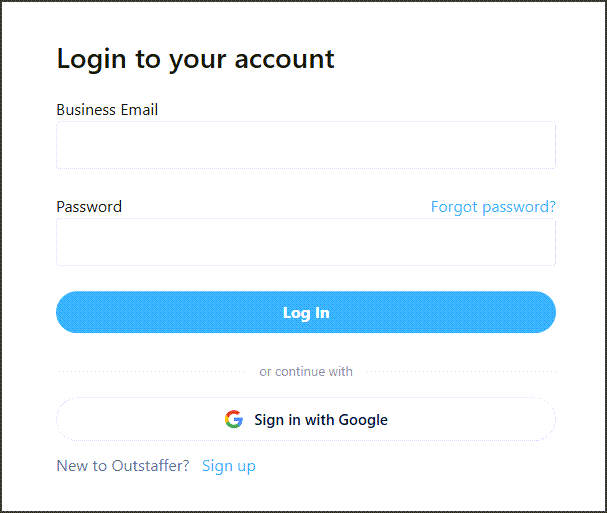
Users can now register and log in to Outstaffer using their Google account. Existing accounts can also be linked to a Google profile for faster access. No separate password management required.
“Polish with Outstaffer AI” is now available when writing a job description in standalone job creation — from both the Jobs page and the Talent Request page. AI refinements can be applied and editing can continue before saving.
Jobs created from a talent request now display a summary on the Job Details page, including recruitment type, employee location, selected job boards, and a direct link back to the original request. Jobs not linked to a talent request are unaffected.
Employees now see a live status pill on the Job Offer step of their onboarding dashboard — showing when change requests are pending or a revised offer has been sent. Job offer PDFs are now attributed to “System” and locked from employee deletion, protecting critical documents throughout the hiring process.
The Staff table now includes a status filter, defaulting to Active and Offboarding. Inactive staff can be added to the view via the filter, and clearing filters restores the default selection. Hiring managers also receive an automated reminder when a leave request is still pending approval within 2 days of the leave start date. Annual leave no longer appears as a billable cost on newly drafted contracts, while previously approved contracts remain unchanged.
Users with access to multiple companies can now hold different roles in each independently, giving businesses with multiple entities full control over permissions without cross-company conflicts.
Company users can now create and send compliant job offers without Outstaffer involvement, and accepted offer PDFs are automatically generated and available to all parties — HR, employer, and employee.
The AI Recruiter workflow now filters job boards by country automatically, lets admins create jobs directly from talent requests, and polishes job descriptions instantly with AI — reducing manual steps from requisition to posting.
Users with access to multiple companies can now log in once and switch between organisations directly from the sidebar, without separate accounts or email aliases. The navigation bar and side panel stay visible during the switch — only the main content area reloads with the selected company's data.
Employees can now submit leave requests for dates that have already passed, including January backdates, making it easier to record leave that wasn't formally submitted at the time. Billing administrators can also export timesheets in monthly format, joining the existing daily and weekly options, with data aggregated per employee for accurate monthly invoicing.
HR teams using Borderless HRIS can now edit and resend job offers directly when employees decline or request changes, without contacting Outstaffer Talent Team. Offer access has also been streamlined — draft and approved offers are visible directly from the candidate table. Two bugs affecting Finance user login and compensation detail display have also been resolved.
The talent request workflow now requires a specified employee location, with a new "Any country" option for fully remote global roles. Brief descriptions also now preserve formatting, so multi-paragraph and bullet-point content displays exactly as entered.
Talent managers and onboarding staff now have full control over the job offer lifecycle directly in the platform — editing contracts, resending offers, and managing change requests without relying on external workflows or manual handoffs. Role-based controls ensure the right people can act at each stage of the process.
Candidates now have a full self-service job offer experience — viewing their salary package, statutory entitlements, benefits, and EOR company details in one place. They can accept, decline, or request specific changes to their offer, with the original offer remaining visible throughout the process.
Company users can now resume incomplete talent requests directly from the talent request table with a single click. All previously entered data is preserved — including payment preferences and meeting states — so nothing needs to be re-entered.
New users can now complete registration and two-factor authentication on any device, with a fully responsive mobile experience. our identity provider email templates have also been updated to personalise messaging based on user role and context, so employees, admins, and HR users each receive communications relevant to them.
Cost and Budget Calculators now exclude finalisation fees from one-off cost totals, giving a more accurate view of upfront charges. One-off costs are also now visible on candidate profiles for HR and EOR requisitions. A bug that caused one-off costs to be incorrectly multiplied when switching to annual view has also been fixed.
HR users can now update an employee's contact email directly from their profile, ensuring platform communications and announcements reach the right address. Several fixes also improve the accuracy of leave request processing — working days are now calculated correctly, leave types sync accurately, and request cancellations are reflected in both directions.
All booking modals across the platform now use an integrated scheduling tool that auto-populates your name and email from your profile. Scheduled meetings are tracked across cost calculators, employee profiles, and talent workflows. This replaces the previous booking system with a consistent experience across all modules.
A dedicated Requests section is now available under Talent Fulfilment, providing a central table of all submitted and draft hiring requests with job titles, status, request type, creator, and date. New AI Recruiter or Talent Recruitment workflows can be started directly from the module. Once a workflow is complete, the submission is confirmed only after a meeting has been successfully booked.
When a candidate completes an AI interview, the results are now automatically written to their recruitment record — including assessment scores, strengths, weaknesses, and qualification commentary. The candidate's English proficiency rating is also updated at the same time, removing the need for manual data entry between systems.
Companies can now pay for AI Recruiter job posting services from within the platform. A hosted checkout displays a real-time cost breakdown as job boards are selected and processes payment immediately. New company registrations now also receive a billing record automatically, removing errors when accessing payment workflows for the first time.
Candidate stages can now be updated directly from the candidates table without opening individual profiles. Candidate profiles also now surface contact details at the top for quicker outreach, and job pages show a full sourcing funnel — from applications through AI interviews to shortlisting — alongside existing pipeline data.
"Other allowances" can now be added across all compensation workflows — requisitions, employee contracts, cost calculators, and budget planning — with employment costs recalculating automatically. The Outstaffer team also now has access to a detailed cost breakdown separating payroll charges from health insurance across contract and cost workflows. Companies can also request a dedicated onboarding specialist through the team page.
A new AI-assisted hiring flow lets you define role requirements and initiate recruitment directly from the dashboard in just a few steps. The workflow connects your request to the platform's recruitment tools and provides real-time cost visibility as you build out the role. Time-to-hire analytics are tracked automatically from the moment you begin.
Two new ways to start a hire are now available from the platform dashboard. Use AI Recruiter to define your role requirements and get the process moving in minutes, or choose the full-service recruitment option to hand off to a dedicated recruitment specialist who manages the process end-to-end.
Companies viewing Staffing plan employees now see a simplified Costs tab showing only their relevant pricing — plan type, hourly rate, and selected add-ons. A separate fix lets users switch to a different account directly from the two-factor authentication screen without having to restart the login process.
The Staffing plan now supports custom hourly rate overrides with up to two decimal places for precise per-employee billing. When a new hire is approved or invited under the Staffing plan, the platform automatically creates their billing subscription with the correct pricing, deposits, and invoice configuration — no manual setup required.
The Costs tab for Staffing plan employees now shows a focused view of plan type, hourly rate, and selected add-ons — with internal cost details removed from the company-facing view. Users can also now switch to a different account directly from the two-factor authentication screen, avoiding getting locked into the wrong login.
The Staffing plan now supports custom hourly rates with per-employee, per-hour pricing displayed clearly in the platform. When a new hire is approved or invited to self-enrol under the Staffing plan, their billing is set up automatically — including security deposits and invoice generation — with no manual intervention required.
Companies that prefer a fully managed recruitment approach can now submit role requirements and book directly into their Staffing Solutions Manager's calendar from a single two-step flow. The request is captured and the recruitment process handed over to the team without manual coordination.
Shortlisted or rejected candidates can now be bulk exported as a consolidated PDF report directly from the platform. Each profile is consistently formatted, making it straightforward to share a candidate pack with stakeholders for review.
Documents attached to a candidate in the recruitment workflow now appear directly in the candidate profile’s Documents tab within the platform. AI interview data capture has also been improved — interview IDs sync automatically when an interview is completed, with support for manual entry when needed. A bug affecting stage updates for jobs with large candidate pools has been fixed.
A leave transactions report can now be exported directly from the platform as a CSV file. Filter by date range to pull a detailed record of all leave requests including employee details, leave type, approval status, and submission and approval timestamps.
Candidate profiles now display previously missing information including employer tenure, candidate avatars, submission details, and monthly salary for standalone jobs. Companies no longer see candidates that were screened out internally by the Outstaffer team — only client-relevant rejections are shown. Navigation on the job details page has also been fixed.
The cost and budget calculators now have an optional section showing one-off costs — including placement fees and security deposits — alongside the standard monthly breakdown. Toggle it on to see the full picture of what hiring someone will cost, including any applicable coupon discounts applied to placement fees.
Probationary status and end dates can now be set when activating an employee contract, with the information stored and visible under employment details. Australian employees can now successfully edit their tax information. Half-day leave requests now display the correct duration in manager approval views.
Hiring managers can now play a candidate's AI interview recording directly within their profile, with the transcript automatically syncing to the audio in real time. Clicking any line in the transcript jumps to that moment in the recording. No need to switch between tools to review how a candidate responded.
A range of fixes and improvements have been applied to candidate management, job views, and recruitment workflows. Candidate status now stays in sync across the platform in real time, and several actions that were broken or misbehaving — including contract creation, candidate rejection, and job status updates — have been resolved.
Employment cost calculations can now be exported as professional PDF documents. A persistent cost widget stays visible while you adjust configurable selections, giving real-time cost updates as you build out scenarios.
Both the cost calculator and budget calculator now support PDF export, producing a formatted cost breakdown document suitable for sharing with stakeholders. The budget calculator also now shows a persistent cost summary widget that stays visible as users scroll through configuration options.
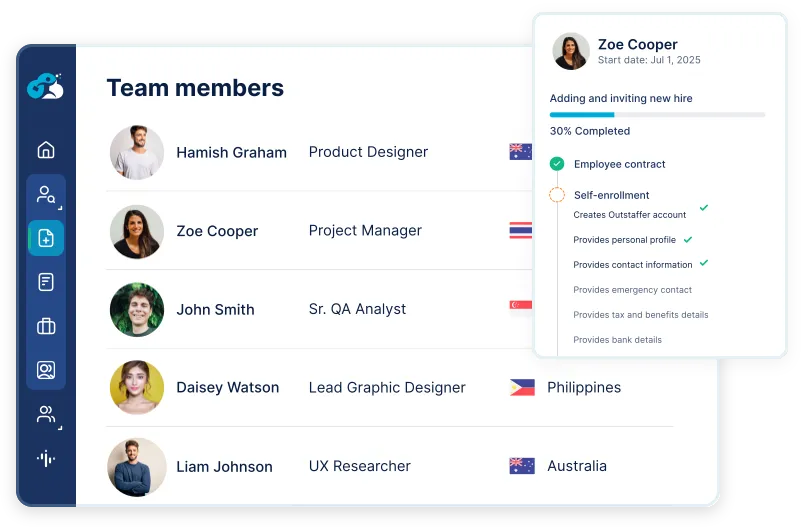
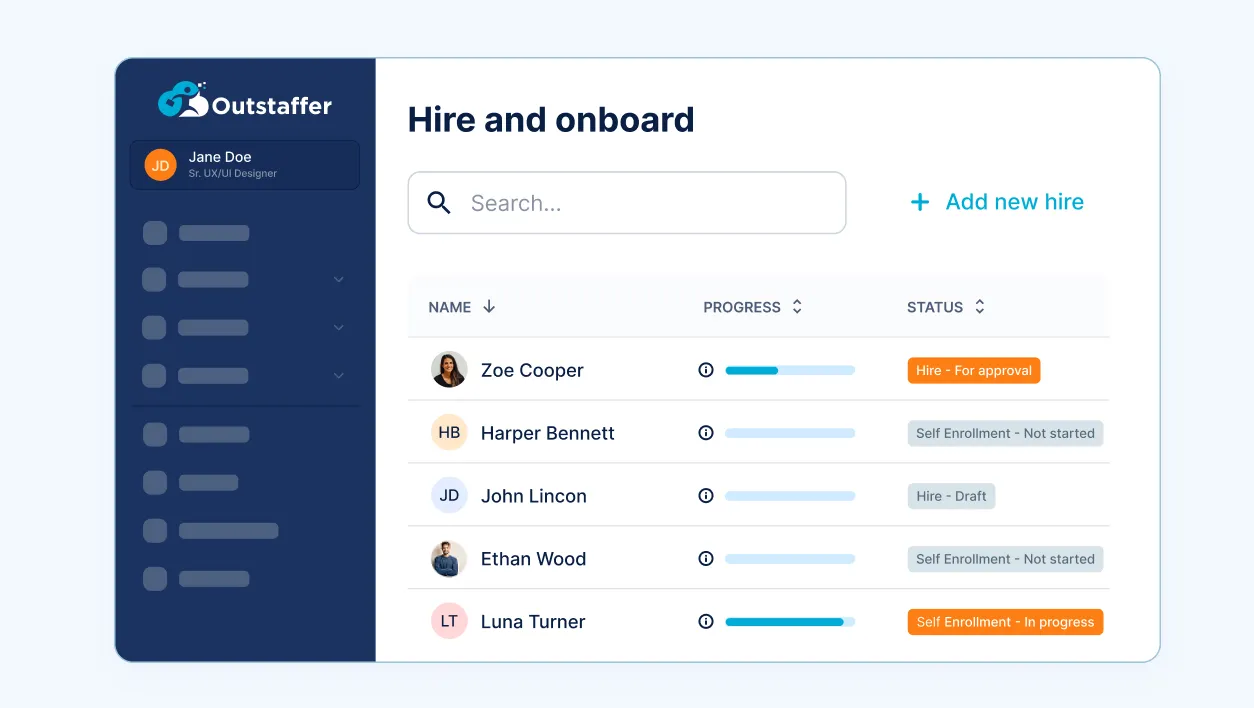
The onboarding table now displays a visual progress bar and step counter for each employee, showing how far they are through the onboarding process. Clicking the status indicator opens a detailed breakdown of individual step completion within each onboarding phase.
Onboarding status now shows step-by-step completion with visual progress bars and clickable breakdowns. Each phase tracks individual completion states so you can spot exactly where an employee is in the process.
Standalone jobs now support rich text descriptions, hiring manager assignment, and global job indicators. Company registration blocks free email domains, and health benefit management gets a streamlined edit workflow.
Standalone job descriptions now support rich text formatting. Hiring managers and groups can be assigned directly from the job details page. Employee health benefits can now be updated from the employee profile, and company registration now requires a business email address.
Australian superannuation calculations have been updated to the current 12% rate across all cost calculators, requisitions, contracts, and candidate profiles. Company users are now restricted from editing submitted or approved requisitions, with edit access on approved requisitions limited to the Outstaffer team only.
A new EOR Talent plan option is now available when creating requisitions, eliminating placement fees for qualifying arrangements. The plan defaults to a fixed rate, carries forward automatically to linked employee contracts, and can be overridden by the Outstaffer team for custom pricing agreements.
The Outstaffer team can now create job openings directly from the All Jobs page, bypassing the requisition workflow when speed is the priority. Jobs created this way integrate automatically with recruitment systems and support the full candidate lifecycle through to offer and contract creation.
The Outstaffer team can now create and manage support agents directly within the platform's admin module, including setting meeting links, assigning default agents per team type, and making agents available for customer call booking. All call booking has also been updated to use a new embedded scheduling system, replacing the previous integration.
The billing page now shows a summary of unpaid totals for faster financial oversight. Timesheet exports now support daily and weekly format selection. Offboarding forms have been updated with a rehire eligibility field, and finance users now see only the tabs and modules relevant to their role.
A new budget calculator lets hiring managers enter a fixed monthly budget and see the maximum gross salary they can offer, accounting for plan type, leave entitlements, benefits, and allowances. Results update in real time as selections change, and coupon codes can be applied to increase the available salary range.
Candidate profiles can now be exported as professionally formatted PDFs, including profile photo, AI assessment results, CEFR English level, and a professional summary. The export gives hiring managers a complete offline reference for reviews and stakeholder sharing.
The job details page now includes a candidate pipeline statistics summary, a dedicated Details tab showing full requisition information, and direct access to the AI interview link for each role. Hiring managers can use the link to experience the candidate screening process firsthand.
Candidate profiles now display AI interview assessment results including identified strengths, a qualification criteria table with ratings and comments, and the most recent completed interview transcript. Candidate resumes from AI interviews also sync automatically to their profile documents.
Invoices and credit notes generated for each customer are now visible directly in the platform's billing section. Finance and owner users can initiate payment for outstanding invoices via a Pay Now button, and all billing documents are available to download as PDFs.
Candidate profiles now include an Estimated Costs tab showing a full cost breakdown based on salary expectations and requisition settings. Profile photos sync from the recruitment system with initials as a fallback, and hiring managers can now navigate between candidate profiles without returning to the list.
The Outstaffer team can now deactivate inactive company accounts directly from the companies page, with the ability to filter by active or inactive status. Deactivated companies can be reactivated at any time. Finance users also now have consistent dashboard access from any page in the platform.
Australian public holidays can now be assigned by state or set as nationwide, so employees only see holidays relevant to their location. Offboarding details — including exit interviews and equipment return records — now remain visible on an employee's profile after they are marked inactive.
When a company's first employee contract is approved, a billing account is now created automatically in the background. There's no manual setup required — companies move straight from contract approval to active billing without delays or back-and-forth.
New users now enter their company name and location during signup, which auto-assigns them to the right company profile on registration. Two-factor authentication and company profile completion are now enforced as prerequisites before requisitions or employee contracts can be approved.
Several platform bugs have been resolved. Requests with attachments can now be submitted without errors, date column sorting works correctly across tables, and paid leave day calculations now account for timezone differences accurately.
The employment cost calculator has been updated to a single-page layout where salary, location, and all configurable items appear together. Health benefits and remote work expenses can now be added directly from the calculator, with expandable sections for customisation.
Employees now have a personalised dashboard showing outstanding to-dos, quick links to common actions, active requests, annual leave balances, upcoming leave, and public holidays. The update reduces the need to navigate menus for routine tasks.
HR notes now support rich text formatting including bold, lists, and links. Thailand onboarding has been updated with a new accepted right-to-work document type and revised tax and compliance fee calculations.
An "All Jobs" item has been added to the navigation bar, giving the Outstaffer team a centralised view of all approved requisitions across all companies — without needing to switch between accounts. The Hiring Manager dropdown on requisitions has also been restricted to users with the Owner role only.
Workers Compensation Insurance contributions for Australian hires are now calculated based on the Industry Classification selected for the employee's role, using the latest iCare rates. Annual leave cost for AU employees has also been revised — now calculated on an hourly basis (1,976 working hours per year) rather than working days. Both changes improve accuracy in cost estimates, contract pricing, and statutory compliance.
The customer dashboard now shows a personalised to-do list filtered to items where the user is the assigned hiring manager or primary/secondary employee manager. Leave balances have been updated to deduct pending requests from the available balance immediately, and managers now see a clearer three-category breakdown. The dashboard also shows a live count of open jobs and a View All link in the My Requests section.
Company users, platform operators, and employees can now upload profile pictures directly within the platform. Profile photos can be uploaded on behalf of other users and employees, with crop and zoom tools available during upload. Profile photo thumbnails now also appear in the All Users and User Permissions tables.
The Borderless HRIS dashboard has been updated with a new layout and additional data panels. Companies can now see live contract metrics, total monthly payroll, open jobs, pending approvals, active requests, and upcoming employee events from a single screen. Quick links provide faster access to common actions.
Employee birth dates are now accessible to company users in the platform without needing to request decryption separately. Any updates to a birth date are recorded in the activity log, providing a clear audit trail for compliance purposes.
Payroll cost calculations have been updated to reflect country-specific fee structures. A 2% cross-border fee now applies to all EOR countries except Australia, and a 1% local government fee applies specifically to Philippines hires. Payroll tax has been removed from Australian statutory entitlement calculations.
The Activity Log has been significantly expanded to track a broader range of employee data changes — including leave balance adjustments, health insurance updates, tax and benefits views, bank information access, payslip uploads, document changes, incident reports, and HR notes. Access to the Activity Log is now controlled via a feature flag, giving platform operators control over visibility.
An "All Requisitions" item has been added to the navigation sidebar, giving the Outstaffer team a centralised view of requisitions across all companies without switching accounts. Support call scheduling has also moved to a new integrated booking system with the same experience as before.
Leave request and timesheet review modals now display a history of approvals, rejections, and cancellations — including who took the action and when. Timesheet exports have also been updated to include total hours worked on public holidays, and two leave accrual calculation bugs have been resolved.
A new Activity Log tab has been added to employee profiles, showing a record of every change made to an employee's details — including what was changed, who made the update, and when. Search and filter options allow users to narrow results by object (Profile, Job, Costs), action type (Create, Update, Delete, View Encrypted), or keyword.
The leave calendar now uses a consistent colour scheme across leave statuses — purple for pending, green for approved, and blue for public holidays. Public holidays are now displayed as hoverable indicators rather than stacking alongside leave requests, improving readability. Platform-wide UI inconsistencies have also been resolved across multiple pages and modules.
Public holidays are now clearly marked in timesheet entry forms, the weekly timesheet view, and the manager review modal. Employees and managers can easily identify when submitted hours fall on a public holiday, improving accuracy in payroll processing and reducing errors in holiday pay calculations.
Approved leave requests can now be cancelled, with leave credits immediately restored to the employee's available balance. The leave calendar now shows all submitted requests, and managers can approve or reject directly from the calendar view. Leave requests that exceed the available paid balance are now automatically split into paid and unpaid portions, and public holidays overlapping with a leave request are now flagged in the request form and review modal.
The SSS employer contribution rate for Philippines hires has been updated to P3,530 in line with the latest government mandates, applied automatically across all current and future contracts. Companies can now also add health benefit coverage for additional dependents during the requisition and new hire process — available for Philippines hires, and retroactively applied to existing employees already carrying dependents.
A dedicated Requisition Assistance button has been added to the Jobs view, replacing the previous Comments section. The Companies table now displays the assigned Customer Success manager and HR manager for each company in a single view.